Showing posts with label creativity. Show all posts

Tuesday, April 9, 2013

Tech Tips Tuesday

Exploring Fonts

Since I started creating fancied up classroom resources I've become a lot more aware of different fonts. Fonts can add to the message or detract from it. Some fonts are easy for beginning readers to read and are a good model for handwriting. Others are more difficult to read and are used for their decorative element. Students are fascinated by fonts as well and love to see their words displayed in different ways.

With that in mind I created a simple Word template for students to use to explore fonts. I taught them how to select text and change font. They then changed the word document to display fonts they like, fonts that are easy to read and fonts that are difficult to read. They finished by changing the font to three different sizes.

I added a new category to my Teachers Pay Teachers store - Easy Freebie. As the name suggests, it's easy for me and free for customers, with no fancy cover pages or special effort. My first Easy Freebie is the Word template I created for this lesson. Feel free to download and use it.

Another aspect to my recent exploration of fonts, is the creation of my own fonts using iFontMaker. I love to experiment with different styles - reminding me of the calligraphy I enjoyed as a teenager. This app makes the whole process very fast and somewhat therapeutic. The font can be converted to a file that is simple to download and install to your computer's fonts. I have made a few so far and have used some in my TPT products. Here is one I created that I call "Sticks":

Wednesday, March 27, 2013

Make an Easter Basket

Today Prue found some instructions for how to make an Easter Basket. We followed her instructions to make a basic basket and then added our own embellishments. Here is a video a student helped me create which demonstrates the steps.
 The finished products were very creative!

Tuesday, March 26, 2013

Tech Tips Tuesday

Teachers Pay Teachers

This site is a place for teachers to share resources either free or for a price. It is intended to be a time saving measure so that we don't all spend endless hours creating the same resources. What has developed is a showcasing of excellent teacher created resources at reasonable prices. There are plenty of great resources free for the taking with the lure of additional resources, and the request for positive feedback.

My experience

I have just started playing in Teachers Pay Teachers. Ever since I began blogging, my husband has been trying to get me making money through blogging, but this is not why I started blogging! I started blogging to 'give back' for all that I had found online to help with my teaching. These days, I find it hard to keep up with the blogging, but still try to share my thoughts and teaching ideas whenever possible. But at the same time, if I can share some of the work samples I have developed either free or for a price through Teachers Pay Teachers, then it's better than having them just sit on my computer.

So I signed up for an account and did nothing straight away, but then they sent me a newsletter that gave some tips for how to produce quality resources, and that caught my interest. I still had no time to work on anything, until I got sick from my son and thus had an unplanned day at home. Most of the things I had to work on were still at school, so instead I decided to create a "Number of the Day" worksheet for my Maths Group, and do so in such a way that I could also sell it on Teachers Pay Teachers. It took me a day to do this, but I now have a better idea of what is involved. Here is what I found...

The Roadblocks


The cutesy factor - I'm not a cutesy teacher, and I don't really cutesy up my resources. I think deep down I'm jealous of those who are, but I can't get past the feeling that I went through my cutesy phase in Year 6, and should be beyond that now. There are lots of cute resources available and all with amazing clip art. I don't feel like going down the path of dealing with copyright etc so am trying to create my own style - however 'uncute'! I've started fiddling with some drawing apps on my iPad and creating my own mouse-like creatures to use. I've also started using iOrnament to create backgrounds for my cover pages. I bought iFontMaker so that I can make and use my own fonts.

The time factor - I've already hinted at this, and while I think it may be easier to produce resources as you get into the swing of it, I still struggle to feel it is time well spent. When my little guy is awake, I feel I should be with him, when he isn't, I should be with my hubby, and when I'm at work, I have a long list to get through. I'm considering how I can compile some of the work I have already done with just a few minor adjustments to make them more appealing to others, and also how I can spend just a little more time on the worksheets I prepare for my class so that they can be added to my store.

The already-done factor - There are so many resources already available through Teachers Pay Teachers, and many of them quite chunky at no cost. The first resource you upload needs to be offered for free, but once you have additional resources you can change which resource is free as long as there is always one. This means that there are loads of great free resources, definitely worth checking out. On the flip side, if you create something that someone else has already created, yours has to value add or be offered at a similar or cheaper price. As someone not into marketing this is all very new to me.

The payment factor - Basically, you get diddly-squat for your ideas. Unless you pay a yearly fee of $59.95 the fees on sales are ridiculous, but at the same time, until you start selling items you don't want to fork out $60! With a basic membership you pay 40% in fees + 30 cents per item. So... on a $1 item you keep 30 cents!


The Drawcard

I have really enjoyed playing with my resources and creating something I'm proud enough to put out there. I'm having fun experimenting with my ICT skills again and expanding my knowledge in this area. I find myself thinking about it quite a bit and considering which resources I might choose to upload. I've had some great new ideas flowing and the kids in my class are benefitting from my enthusiasm. It has also motivated me to share my creations with other teachers in the school. You can see my store here.


As I said at the start, I didn't go into blogging with the intention of making money. Nor does it seem likely that I will make anything of value through this endeavour. However, if it makes my resources more accessible, doesn't become a drain on time, and helps me to develop my creativity, ICT skills and produce better quality classroom resources for my students - then what have I got to lose?

Monday, February 18, 2013

Friday Fun

Hooray for week 2!

I had a not so happy start to the week, with particularly bad Monday blues (but on Tuesday as I don't work on Monday)! I had to keep checking the mirror to make sure that I didn't have a "MESS WITH ME" sticker on my forehead! I'm very happy to say that things picked up in the days that followed.

We also had our parent information night which always throws me out of my comfort zone, but also allows me to make initial contact with parents. It went really well and opened the door to start sending email as a communication tool. Since then I've done a lot of emailing which has been well received.

Cinquain poems
For Valentine's Day students wrote poems about someone special to them. We used the structure for a cinquain poem. We introduced the structure, gave some of examples and then walked through writing the poem line by line. We edited the poems and then students wrote and decorated a good copy for their someone special.

Crazy Creatures
We led a brainstorm of animals with students contributing ideas. Students then combined elements from three of these animals to create and draw a new animal - similar to those created by Graeme Base in Uno's Garden. Students are now in the process of writing a cinquain poem about their crazy creature.

Buddy Maths
For one of our lessons this week, students paired up with a buddy to complete a worksheet from the Mathletics resources. It worked brilliantly as a cooperation challenge, especially once students reached the second page.
On the first page, students filled in missing 2-digit numbers in forward and backward number sequences. They then used clues to determine a mystery number. We had done something similar early in the week when students chose a mystery number and then asked each other yes/no questions to work out the answer. We also did some work around covering up a mystery number on a hundred grid.
On the second page students used a hundred grid (on the interactive white board) to solve complex mystery number problems. Few students were able to find the answers, but it was great to see the way they worked together, and to hear their discussion. At the end of the session we went through the problems together so students could see how the answers could be found.

Quick games
We had a couple of times through the week when the kids had worked really hard and we were all exhausted but still had about 20 minutes until the next scheduled break. On these occasions we grabbed our hats and ducked outside for a game. We played Jam Drops, Toilet Flush Tips, and Golden Child. These worked well in the allotted time.

Selby's Selection by Duncan Ball
Having been a bit of a fan of Selby the only talking dog in Australia (maybe even the world), I decided to introduce students to his antics. Unfortunately, the corny humour in this particular book seems to be a little beyond my students and I find myself struggling through the embarrassing silence after I deliver each pun! We now discuss the humour at the end of each chapter and I point out the play on words. Is humour something that comes with age? Or that is taught? Any suggestions for another more suitable novel for Year 2 students?

Tuesday, January 29, 2013

Tech Tips Tuesday

iPad for Preschoolers #4 Creative Play

Kids love to create - be it a ball of dough, a pile of construction blocks, a box of textas, a handful of craft materials or a musical instrument. Today I will share some iPad apps I've found useful to support your preschooler with exploring his/her creativity.


Construction
Lego App4+ With this app children collect Lego bricks, construct a vehicle, and drive the vehicle through an obstacle course. On completion of the route they are awarded a Lego puzzle to complete, which is then displayed in the scene they drive through. My little guy has completed this game but continues to play it as he enjoys creating and driving the vehicles. He particularly loves using the siren piece and the helicopter piece! Lego also has a story based Lego Duplo Zoo app which he enjoys playing, and this also has some elements of selection and construction.

Zoo Train Through this app, children play a variety of games. One of these games involves selecting track pieces in order to complete a train track for a mini train to travel on. Another requires children to select the passenger cars for a train and then choose a scene to see it pass through. There is also a musical game, a puzzle game and a word game. Given that it's a train game, it's proven quite popular with my little guy.

Toca Robot Lab This is a fairly simple game that draws on children's creativity. They select the parts to construct a robot and then try to collect stars as they move it through the factory.


Visual arts
Faces iMake This fun app allows you to create a picture using images of everyday objects. I have only recently purchased it, but had some fun designing some faces of my own before my little guy got into it. At the moment the premium version for iPhone has greater functionality than the iPad version (in my opinion) - so hopefully this will be sorted out through updates.

Play School Art Maker Based on the characters from the popular Australian television program Play School. Children can create a scene using a variety of craft materials and add animation by moving items around their scenery. There are also puzzles to be completed. My little guy is just getting started with this app, but loves completing the puzzles. He tries to create videos, but doesn't really understand that he needs to "move the toys and make some noise". I see it as a useful app that will grow with him.


Music

Mozart Interactive This is one of my favourite music apps for kids. Children interact with Mozart's Rondo alla Turca by selecting which musical instruments will be included at key decision points. It's fun and it introduces kids to classical music and the instruments. Also produced by Melody Street LLC is My Musical Friends HD which introduces children to the different instruments of the orchestra.

Little Fox Music Box What a great way to experience three well-known children's songs! I think I 'purchased' this app when it was free, and I have been very happy with it. The song plays, the words scroll, and children interact with the illustrations. I particularly like the use of the seasons for Old McDonald had a Farm and think this is a great talking point with a toddler. Creativity comes into play in the Fox's Music Studio, where children can touch objects to hear their sounds and thus create their own songs.

Toca Band Another favourite of mine, this app is addictive and the songs you create get stuck in your head! In the usual Toca Boca style, you take on the role of conductor and create a band using a collection of characters with their unique sounds. Move the character up the levels to change their tempo and pitch. When this came on sale, we got it on all the iPads at school - and recommended it highly to the teachers! Too much fun!

Songs For Kids As my toddler has only just started singing along to songs, we haven't fully explored this app yet. It features 14 children's songs which children can sing along with and record their singing. The pictures are cute and interactive.

Tap A Tune This is another app new to me, but featured in the 'top' lists. I am yet to introduce this to my little guy. Using this app, children can follow cues to play children's songs and create their own songs.


Of course, this is just a taste of the many creative apps available for iPad. These are the ones that I have discovered to date, and which my two-year-old is using. Please feel free to leave a comment to share your favourites.

Other posts that might interest you:
Tech Tips Tuesday - iPad for Preschoolers #1 Mathematics Concepts
Tech Tips Tuesday - iPad for Preschoolers #2 Alphabet Apps
Tech Tips Tuesday - iPad for Preschoolers #3 Let's Pretend

Tuesday, March 23, 2010

Tech Tips Tuesday

This Week's Tip: Thoughts on "Thinkin' Things 1"

During my computer lab duty last week I did some playing with the software our school already has access and licences for. I came across Thinkin' Things Collection 1. While I'm not sure how much I would be willing to pay for this program, it was a great find for something we already had. There are six different activities for students to explore thinking skills and creativity with music, patterns and shapes. Levels can be modified according to desired challenge.

My students enjoyed exploring this software and experimenting. Partway through the session we paused with our playing to share the things we were discovering. Everyone was buzzing with excitement and loved the opportunity to get creative.

In particular, I enjoyed playing the chicken xylophone (which plays clucking sounds!) and also trying to play Oranga Banga's instruments after hearing him play them in the dark.

I'm looking forward to trying our Thinkin' Things Collection 3 during my lab duty this week!

Sunday, February 21, 2010

Friday Fun - 19/2/10


Having had such a bitsy week with sickness the week before, it was great to get back into gear and have a proper week at work. Things are starting to come together better and we are working out how our routines are going to work and how to manage differentiation across classes. The Year 1s in my class got to spend some more time with the other Year 1 students, which they'd missed out on in the previous week. Next week we hope to get started with home readers, Spelling, and Maths groups, so it may be a little rocky to begin with, but it always is at the beginning.

Fun this week:

Footsteps Dance
Last year we had a trial lesson with Footsteps Dance Company to see whether we wanted to use them this year. We were very impressed, so had them back this week. Rachel worked with students across all grade levels and taught them a dance to perform for our Thursday evening performance. The Year 1/2 and 2 students learnt how to "Walk Like an Egyptian". It was a lot of fun and found it irresistible to join in with them during the practices!
SouthCare Helicopter Visit

On Friday morning the SouthCare Helicopter landed on the oval adjacent to the school. We took classes down to watch, and then students got to walk through and see the inside. Our local milk suppliers provided a free carton of milk to all the students. (It's always funny to hear how much the kids love the milk - it must taste different when it's given to them in a small carton!) These visits are always very exciting and get the kids nicely hyped up for the rest of the day!
Build it Up - Year 2
I took my Year 2s out to look at the construction that is taking place in our playground. To see what is happening and try to make sense of the bits we can see. We will visit again throughout the term to see how things are progressing.

The Earth - Year 1
The Year 1 students began their Integrated Inquiry. They learnt about the meaning of Biodiversity and watched segments from a video called "Earth" which looks at how animals interact with their environment and with each other. They learnt that living things require water and the sun.

Maths
I spent a lot of time during the week organising the new Mathletics passwords and logons for 2010. Students should now be able to access Mathletics again and teachers can use it (and Rainforest Maths) in their Maths lessons. I have been doing this in my Maths lessons, using examples from the board and students working in teams at their desks writing answers on small whiteboards. This builds the skills as well as developing teamwork.

I also invented a class game to practise representing 2-digit numbers using bundles of 10 paddle-pop sticks and loose sticks. I put an interactive hundreds chart on the board. Students took turns in their table groups to make a number, check it with their group and then tap it on the Interactive Whiteboard (thus changing its colour). The class continue to make the unmade numbers until all have been completed. Students found this particularly exciting and got plenty of practice at representing numbers with bundles and singles.

Flanimals
On Tuesday one of my students brought in the book "Flanimals" by Ricky Gervais. She was very excited for me to read it to the class, so we read some during our Library lesson. We had our computer lab lesson straight after library, so students used 2Publish+ to draw their own flanimal and write about it. We put these together in a display folio to send home for students to read with their parents. It was a great opportunity to springboard from one student's interests and allow everyone to experiment with their own creativity.

Tuesday, December 8, 2009

Tech Tips Tuesday


This Week's Tip: Photo Fun
For some quick fun with photo effects, Photo Funia is the place to be. It's very easy to use and the kids LOVE it! Why not create a moon scene display board and get your students to put themselves in a spacesuit? Students can put their face on money, or wanted posters and see themselves as Jedi masters. I got a bit carried away with this, making myself a cupid, Mona Lisa, Marilyn Monroe and body builder. My students said: "Mrs Ryder, you seem to be having too much fun with this!"

Preparation:
Take a photo of all of your students in good light and save these to a location that is easy for students to access. (Files need to be less than 8MB). Ensure that the website is not blocked in your school.

Lesson:
  1. Students go to the website: http://photofunia.com/effects/
  2. They select the desired effect.
  3. THEY SELECT NOT TO HAVE THEIR PHOTO ADDED TO THE FACES SECTION OF THE WEBSITE (Some effects say this will not happen, others require students to tick the box).
  4. They choose the image they would like to upload and wait for their picture to be created.
  5. They then choose to save the image to an appropriate location (their folder).
  6. Students can then print the image from this folder or use the file in other multimedia products
SO MUCH FUN!!

Update: Please be warned that from time to time, inappropriate scenes may be included in the effects. Use at your own discretion.

Saturday, October 17, 2009

Space Spectacular #1

This post is the first in a series of posts about an Integrated Inquiry Unit about Earth and Beyond.

Week 1 - Tuning In
This week our activities were designed to activate students' prior knowledge about Space and to stimulate questions they would like to investigate. We began with some brainstorming, where students listed words that come to mind about Space. They then worked in small groups to bundle their words into categories. Following this, students wrote questions they would like to know answers to. They chose the best question for their group and shared it with the class. We collected their ideas and will use these for a word wall and to guide our investigations.

Integrating with Literacy
Predicting and Questioning Skills
Prior to reading the big book "Watching The Night Skies" the class formulated three questions they felt would be answered by the text given the title and list of contents. Students wrote the questions and the answers they predicted, leaving space for the answer from the text. We then read the text together, discussing the information we were finding out. After reading, students went back to the questions and wrote the answer from the text.
In the next literacy session, students were given an individual text on Space. They repeated the activity for themselves - choosing a question, writing their answer, and finding the answer in the text.
This activity is useful for helping students to engage with a text and seek out information.

Creative Writing - Description
I told students that they would be doing a piece of creative writing, imagining that they are the first person to step onto the surface of Mars. We began by looking at some photographs of the landscape of Mars and then watched these NASA Vodcasts: Soaring Over Mars and Mars Exposed. While they looked at these things, students jotted down notes on their clipboards. They then returned to their desks to begin writing. I gave an initial prompt sentence which they could use to get them started: I stepped from my space craft and there, stretched before me, was Mars. I walked around while students worked and, with permission, read out their writing to help those struggling to get started. There were some really descriptive passages being formed and many were including details from their notes including the names of some of the places.

Integrating with ICT
Students were given some terms to investigate eg. morning star, evening star, shooting star, the sun comes up, the sun goes down, the sun goes behind a cloud. They needed to use the internet to research the accuracy of these statements. Students used a variety of online resources including wikipedia, google search using 'define:' and yahoo answers. This was a great activity for students to practice using the internet for quick clarification.

Tuesday, September 15, 2009

Tech Tips Tuesday


This Week's Tip: Making Animations with Movie Maker

Over the past couple of weeks I have been dabbling with animations with my students. As this is a first time for me, I have been doing a lot of learning alongside the kids. As a result, it's probably been a longer than usual process as we trouble-shoot and work things out together. Today I want to break it down a little so that you can save some time if you give it a try.

WARNING: This explanation assumes some basic knowledge of Windows Movie Maker, and is a starting point for amateur animations.
Creating Characters and Setting
  • Provide a variety of resources for students to use in creating their characters and setting - playdough, lego, stuffed toys, paper, whiteboards etc.
  • Have students plan out and rehearse the way they would like to move these objects.

Taking Photos
  • Explain to students that everything they see in the frame will be in the movie. It sounds basic, but I had a number of photos that included walls, tables, power cords etc - they imagined they could get rid of all this later.
  • Make sure the camera battery is charged (and recharged) and that you have enough time to take all the shots for the sequence.
  • Be aware of the light in the room as changes will be evident in the photos.
  • Use a tripod if possible to limit the movement of the camera.
  • For a 15-30 second promo we used about 80 photographs, but our movements were a bit jumpy.

Writing Scripts
  • Support students with finding the words to get their message across most effectively
  • Encourage them to rehearse their script and time it to see how long it will need to be

Recording Audio
  • This can be done in Windows Movie Maker as students watch their completed movie in the preview frame. This allows them to time the two as much as possible.
  • If pushed for time, you can begin recording the script in Audacity prior to movie production in Windows Movie Maker. This also allows students to edit the audio and cut out errors. Export it as a WAV and then you simply import the audio at a later time.

Storing Pictures
  • Before you start using Movie Maker, it is important to upload photos to a place where you will be able to easily find them and access them throughout the project. DO NOT MOVE THESE FILES ONCE YOU START. If you move the pictures, the program will not be able to find them and they will show up as a red X on your storyboard.

Importing Pictures
  • If your camera has captured large images (in terms of mb) you will want to resize them so that Movie Maker doesn't strain under the size. I do this in Windows Photo Gallery so that I can resize the whole group at once. (I'm not sure how else you might do a bulk resize. Any suggestions?)
  • Click on Import Pictures and select the pictures you would like to use.

Moving Pictures onto the storyboard/timeline
  • BEFORE you begin slotting images onto your storyboard, you will want to change the settings for the length of time these will play. This is a BIG time-saver! If you fail to do this, you will be shortening each picture individually (a HUGE time-waster) 1. Click on Tools/Options, 2. Click on the Advanced tab, 3. Select your desired picture duration and transition duration
  • To change the length of individual slides, select the Timeline view, click on the image you want to change and drag one of the sides
  • If students want to have a repeated action, they will need to repeat the action slides (basic I know, but they still needed to be told!)
  • SAVE, SAVE, SAVE - I can't say it enough - we've had SO many Movie Maker crashes and it is very disheartening if students lose their work because they didn't take a moment to save it regularly.
Editing the Movie
  • Add in the audio and make sure it is well timed with the animation
  • Add in any desired titles/effects
Save as a Movie!

Friday, August 7, 2009

Friday Fun - 7/8/09

I really enjoyed this week as it was a nice balance of classroom and administration. The classroom felt settled and successful and the students were engaged in the lessons. In my administrative role I achieved a lot - planning, paperwork, phone calls, supporting teachers, and observing lessons. I've given a couple of lengthy explanations today in case you would like to replicate the things we've done in your own lessons.

Fun This Week

Skilling with Textiles
We launched into some skill development with textiles this week. I conducted an online survey with students (using Tiger Survey) to determine students' prior skills with knitting, sewing, crochet etc and to find out what equipment they had access to. I asked students to volunteer to be coaches if they classified themselves as experts with particular textile skills. Students then selected which groups they would like to join to develop their basic skills. As we didn't have quite enough equipment for the first session, some students created God's Eyes and then brought in some extra equipment for additional sessions.

The knitting coaches were a little nervous about starting their group as they weren't sure how to cast on. At recess, in the staff room, I found out that our librarian knew how to cast on and had some time that she was willing to share to teach it to the coaches. While she explained it to them I recorded the explanation using my mini camcorder so that they could revisit it later if they needed to. They practiced during their lunchtime and were ready to start after lunch. I was amazed by how well they remembered the instructions and were able to teach the others.
Students were allocated an area and then the coaches ran their sessions with minimal support. They were responsible for ensuring their materials were cleaned up and their areas tidy at the end of the session.

As students complete one skill area, they are welcome to move to another group to try out a new skill. At this stage the emphasis is more on trying new skills than on creating a finished product.
That said, the students with the weaving looms have successfully made beanies and scarves; the sewing group have made little cushions; the crocheters have made snakes and lizards (from a basic chain); and the knitters are well underway with knitting rows. Mid-week another group started up with french knitting using cardboard rolls and paddle pop sticks.

I've been impressed to see that the kids are loving it all so much that they are even doing it during their lunch breaks and asking to take it home. Two students have already created textiles projects at home and turned them in. It's great to see their enthusiasm.

Touch Footy
We are preparing students for a Touch Football Gala later in the term, so after our Maths sessions we go down to the oval to do some skill-building. Some of the boys are particularly keen about this and they are grabbing a ball to continue practice during lunch. We are hoping to get some mini games started next week.

Munching in Maths
For one of the Maths lessons I bought a bag of apples and used them to help students apply maths to everyday life. I must say that I was particularly lucky as the numbers kept working in my favour.

We weighed one apple (125g) and then students tried to calculate how many apples there should be in a 1kg bag. Some worked it out by adding 125 repeatedly and keeping a running total. Some worked it out by doubling and tracking the number of apples. And others worked it out by dividing 1000 by 125. As it turned out, for whatever reason, there were actually 9 apples in the bag instead of the 8 we calculated mathematically! We also discovered that it was possible that the scales weren't so accurate.

We then created a new word problem that required students to determine how much one apple would cost if the whole bag was $4. I passed out some calculators for students to use to assist them. Students were a little boggled by the decimal result they got 0.44444 and thought it must be wrong. One of the students worked out what it meant and explained it to the class. So then I asked students to work out how much 2 apples would cost; 3 apples; 6 apples; 5 apples and we discussed how to work out the answers mentally. Then I flipped it around the other way - how much would half an apple cost? A quarter? As you can see, the numbers were very favourable as they were easy to multiply and divide.

One of the students called out "Can we EAT the apples?" So we launched into yet another problem to be solved - How much apple can each student have? With 9 apples and 25 students, there weren't enough for one each, so we would have to divide them into halves. Students calculated that we would have 18 halves - still not enough pieces. But then we realised that if we cut them into quarters, we would have spare pieces. I demonstrated this on the board as an example of division with remainders (which we learnt earlier in the week). 36 pieces would give us 1 quarter each, then 11 remaining pieces. One student decided that they didn't want any apple, so then we were looking at 24 students and 12 remaining pieces. While they munched on their apple I asked students to think about what they know about the relationship between 24 and 12. One student pointed out that 12 is half of 24. So how does this help us with dividing up the remaining pieces? Another student realised that we could cut the remaining quarters into half again to make another 24 pieces. So what would these pieces be called? One student worked it out and another explained how they came to the answer. They then worked out how many eighths they had had altogether.

You could feel the energy in the classroom as students buzzed from one calculation to another and solved the real-life problems.

Dancing
We explored anger through our dancing this week. We told students the story of a farmer who was angry because some of his workers broke the machinery. There were three parts to the dance music - the angry farmer who stomps and shakes his fist, the trembling workers and the broken machinery. Students explored these roles through dance and then worked in small self-selected groups to create and present their own dances. I was captivated by the way they told the story through dance.

Leadership Assembly
We had a school assembly to recognise and welcome in the new SRC and Enviro Squad for the second half of the year. Students also received certificates for their achievements in the Computer and Science competitions.
Thursday, July 23, 2009

Friday Fun - 24/7/09


It was the first week back, but already the holidays are a distant memory. This week I began my 4-week role as an acting School Leader C. What does this mean? Well, as a beginner, it meant dressing up and sorting Mathletics for everyone across the school whilst also trying to start a new term with my class. I don't feel that I juggled it all particularly well this week but, for a beginner, I think I'm doing okay. I'm enjoying the opportunity and hope to learn and grow through it during the next few weeks. In the classroom we had a great start to the fresh term.

Fun This Week


Reciprocal Reading and Cooperative Reading

Mr Tucker's class is using a new series of Reciprocal Reading Texts this term and groups are focused on using the roles as they read.
My class is trying a version of Cooperative Reading where students take responsibility for planning the reading and writing they will work through during the term and meet together in small groups to discuss and support each other. This week students chose groups and books and then planned the reading and writing tasks they will complete each week. Two groups have an author study focus - Andy Griffiths and Jackie French. Three groups have a book focus - "Hating Alison Ashley" by Robin Klein, "The Red King" by Victor Kelleher, and "Harry Potter and the Order of the Phoenix" by J.K.Rowling. And two groups have a genre focus - horror and action. I look forward to seeing how the process continues next week as we begin the routines.

Don't Let The Pigeon Drive the Bus
Our writing focus for the beginning of this term is on expositions and persuasive writing. To kick this off, I read "Don't Let the Pigeon Drive the Bus" by Mo Willems. We discussed some arguments for why pigeons shouldn't drive buses and then students wrote an exposition on the topic. Some decided that they actually wanted to write in support of pigeons driving buses. I am trying to encourage students to choose a few key points as their paragraph starters and then add supporting details. I am also encouraging students to include stronger vocabulary and linking phrases. Hopefully this will flow more naturally with continued practice this term.

Dancing
Mr Tucker taught two dancing lessons for our students who don't do Fife and Drum. We will be preparing dances for our end of term performance. This week's theme was "flight" and it was really great to see all the students moving creatively and developing their own choreographed dances in small groups. I am really impressed by how well students are collaborating on tasks these days.

Mathletics
This week we got Mathletics up and running in the school. We launched it in Year 4 and it has been exciting to see how quickly students have taken to the site. Mr Tucker's class was listed in the top classes around the world and most students have achieved their Bronze certificate for this week. Mathletics will make up the maths part of our homework this term and Mr Tucker and I will be setting tasks for students to complete.

Minister's Fitness Challenge
Mr Tucker introduced the Minister's Fitness Challenge and showed students the website where they can add the activities that they do each week. This Challenge is an initiative to encourage children to engage in physical activity for at least 60 minutes each day.

NAIDOC Week Festivities
This week we celebrated NAIDOC week (even though it was officially July 5-12). Each grade did their own NAIDOC Week activity which they shared with the school at the special assembly on Thursday. The Funky Fours practiced the song Down River and also learnt about the symbols used in Aboriginal artworks. They created their own designs using oil pastels on black paper. On Wednesday students enjoyed a musical performance with an Indigenous performer. He shared about Indigenous culture and involved students in bopping along to some great music.

Athletics Carnival
Today we had our athletics carnival. Despite the frosty morning and a few early slips, the day was a huge success. We have lots of great little runners and had great participation rates across the school. Mr Tucker did a great job of organising the day.

Thursday, July 9, 2009

Creativity

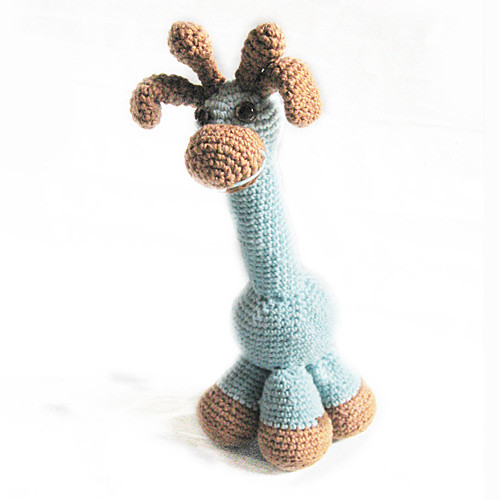
Last week I mentioned my new interest in crochet, particularly amigurumi. I've been playing some more with the idea over while creating my own crocheted creatures. I looked at a couple of patterns and was dumbfounded by all the crochet jargon for the instructions. It left me thinking, 'huh'? What I WAS able to decipher was that amigurumi are made by a spiral. So, I searched on YouTube for how to make a crochet spiral. There were some great videos there about how to start a spiral when making a beanie. She also gave some instructions on how to increase and decrease the amount of stitches. Armed with this, I had a go, and here's what I've come up with...

A bunny. (My sister in-law wants me to make one for her, too)


And a Frilled-Neck Lizard. (He's a little hard to make out, given the camouflage, but I thought it wasn't too bad for an early attempt!)


So, whilst making these, I did a lot of thinking about creativity and my own response to tasks, and what I like to see my students doing. I don't generally like to stick to a set pattern - I usually like to add my own twist. I take the main idea, learn the basic skills and then shape it to suit my own interests. And I like to see my students doing this as well. When I set a task, I don't want to see 30 exact replicas - that only shows me that students can apply the things I teach in the one way that I have suggested, and under my supervision. I want to know that students can apply their learning to their unique situations.

I do realise, however, that sometimes we need to practice the 'traditional' way of doing something before we are ready to bend the rules to make it personal. We need to have the opportunity to learn the essentials before we can play with the non-essentials.

As I approach the next unit of work (Textiles and Design), I'm trying to balance things in my mind in order to provide the required amount of guidance paired with the desirable amount of flexiblility. I need to find a way to teach my students to take the creative approach.

When I was a kid, I wanted to get everything 'right' and if I dropped a stitch, I panicked and couldn't figure out how to resolve the issue. I don't know how or when the shift happened. Somewhere along the way I must have realised that there were times when 'my version of right' was actually valued more by my teachers than the set pattern they put before us. I don't think I've actually let my students in on that secret yet!

How do you bring out your inner creativity? What things enable or disable it? How did you learn to let your creativity shine through? What do you like to create? Please share your thoughts below.

Sunday, June 28, 2009

The Blogger Behind This Blog #5

Lately I've been feeling a bit disconnected from my readers. I feel like I've just been popping in with a quick spiel about what's going on in the classroom, without really sharing what's been going on for me as a real live person! So, for those of you who are interested, here's an update of my life outside of school:

New Investors
My husband and I are in the process of purchasing an investment property which is already tenanted. This is our first investment property, and it has been pretty exciting to see everything falling into place. We're looking forward to finalising the settlement in the week ahead.

Health and Fitness
My husband decided he wanted to get into a regular running routine to keep up his fitness. The carrot he began dangling was that he wanted to comfortably run the 10km loop in Central Park when we're there later this year. He suggested that the rest of our travel group jump on board too, and sure enough, I found myself adding yet another commitment to my list of to-dos. Whilst looking for an appropriate training program, I came across the Sydney City 2 Surf one, and decided to give the Intermediate program a go. Then my husband and I decided we might as well run the City 2 Surf this year. Hubby has paid the registration and also registered us for a 1-mile race in NYC. So... I'm back into the running again and actually enjoying it! I've also been trying to diet a little using Shape Up on my iPhone. I wouldn't mind losing just a few kilos and with all the running I'm doing, it's actually not TOO difficult!

Hobbies
In just the last week I started to dabble with crochet. I know... it's a granny hobby. They even call them "granny squares", but I'm enjoying learning something new using YouTube as my teacher. It's actually been really great because you can see the stitches modelled and then pause the video and watch it over and over and over without testing anyone's patience. This is personalised learning at its best! I'm actually keen to learn how to make amigurumi figures as I can see the potential for exploring my creativity with these. I wonder if I'll still be so keen once the new term starts and I'm back at uni again!

Birthday
I recently had my 31st birthday and my hubby went over-the-top-out-of-his-way to make it a special day for me. The night before he took me out to dinner AND a chick flick (where I even had a choc-top despite my attempts at dieting!). On my birthday night he cooked me THE MOST AMAZING steak complete with home-made jus (that took 2 days to prepare) and DELICIOUS home-made chocolate eclairs for dessert. He didn't mind that I put my pjs on at 4pm and he let me bludge and enjoy the day. It was very relaxing and enjoyable.

The Hot Seat
A few weeks ago I wrote a post about Dealing with Disappointment, when I applied for a temporary promotion role in my school and didn't get it. As it turns out, the person who did get it has now been offered a different temporary position outside of my school, so I'll get a chance in the hot seat after all. It will run for the first four weeks of next term. (To be completely honest, I'm kind of glad I didn't get it for the full length of time as the last couple of weeks were hard enough without the extra responsibility.)

Holidays ahead
I'm really looking forward to the holidays in just over a week. I'm not sure yet how I'll use the time - hopefully to get a little ahead of myself for next term, but also getting enough time in for rejuvenation as well!


Flickr Image: Light Blue Giraffe by amigurmi

Sunday, March 8, 2009

Sculpture Garden Sunday

Today I popped in at Sculpture Garden Sunday at the National Gallery of Australia. There were kids and families everywhere enjoying the music and getting creative. It got me more motivated for my first lesson on Tuesday. Our Readers' Theatre is going to be about a dinosaur sculptor, so I thought it might be a bit of fun to sculpt our own dinosaurs. After seeing the fun ideas today, I'm keen to see how my students explore their own creativity with the resources available.

Friday, February 6, 2009

2nd Teaching K-6 Blog Carnival


Welcome to the February edition of the Teaching K-6 Blog Carnival. Those of us in Australia and New Zealand are back into the swing of teaching and have no-doubt been very busy setting up our classrooms, preparing teaching programs and establishing behaviour agreements with our students. In this edition we have some great examples of tools to be used in the classroom. There's plenty here to keep your mind active and stretch your skills and expertise as a teacher.
This month I was inundated by posts about free online open coursesware classes, so I've added a separate section for these at the bottom. There's quite a range of interesting courses, but I haven't explored each of these thoroughly - I'll leave that to your discretion.


Innovate - Beyond the Slate

HappyCampers presents LookyBook: Bibliovores Beware! posted at Reese's View Of The World. Find out about Looky Book and how you might use it in your classroom.

Gerald Aungst shares Gifted Thinker, Meager Writer posted at Quisitivity.org. He describes how he uses Audacity to allow students to express their ideas in spoken word before converting to written text.

In Why Bother getting Connected? posted at Digital Learning, Justine Driver shares a discussion on the importance of embedding learning technologies in our teaching. She has embedded a simple but inspiring video: "A Vision of K-12 Students Today". She writes about her early journey with the integration of technology and includes some great resources that she developed as part of this journey. Justine also shares her Learn to Read resources that she has tried with great success in two schools. These are useful with 5-6yr olds, students for whom English is a second language and students with Special Needs.

Jim McGuire presents Free Writing Choice Friday posted at The Reading Workshop. He encourages students to think and plan for a free choice writing session on Fridays. Students are allowed to choose their genre and topic for writing and Jim is there to conference and support them.

Christina has been very busy integrating technology this month she shares three posts at Early Childhood Teacher. In Podcasting and Twinkle Twinkle Little Star, Christina describes what she has been doing with podcasting in her early childhood classroom. These ideas are great for connecting the language skills of reading, writing and speaking. In Google Maps she outlines an excellent lesson idea for using Google Maps to placemark the birthplaces of students in her class, thus making a geography lesson more relevant.

Laura Milligan presents 25 Safe, Fun & Educational Virtual Worlds for Toddlers, Kids, and Tweens posted at eLearning Gurus. (Please note that there are varying degrees of what constitutes 'safe'. If an adult can register, how safe can it really be? Please be mindful of this when introducing students to virtual worlds and test them for yourself.)


In the News

Kelly Hines provides a thought-provoking discussion about 21st Century Skills in Why the Fight? posted at Keeping Kids First. This topic has been hotly debated in the past month and this is Kelly's response to a Washington Post article. Kelly brings new light to this discussion and shares her own perspective -well worth checking out.


Brain Strain

Gerald Aungst gets us thinking this month with his posts on Creativity vs. Discipline and Finding the Ace in Every Child posted at Quisitivity.org. He writes about finding the balance between discipline and creativity in our classrooms. He points out that some highly successful people were particularly unsuccessful in traditional classrooms. He challenges us to find ways to support all students and explore their individual talents.


Look No Further

Helen Eddy shares First issue of Early Childhood News for 2009 is on space posted at Helen Eddy's Blog. Given that 2009 is the "International Year of Astronomy" this post may provide you with some useful resources for exploring space further with your class. Here you will also find other resources about a variety of topics relevant to teaching in Early Childhood.


Thinking about taking an online course?

Kelly Sonora presents Top 50 Educational Policy Blogs posted at Online University Lowdown.

Patricia Turnerp presents 101 Killer Open Courseware Projects from Around the World: Ivy League and Beyond posted at The .Edu Toolbox.

Jessica Merritt presents 100 Weirdest Open Courseware Classes That Anyone Can Take posted at Online Best Colleges.com.

Alissa Miller presents 101 Free Open Course Classes to Learn How to Build ANYTHING posted at Best Universities.


Why not submit your post for the next carnival?

At this stage, editions of The Teaching K-6 Carnival will be posted monthly on the 7th. I will be collecting submissions throughout the month, looking in particular for posts that discuss and exemplify innovative teaching and the integration of technology in the K-6 classroom. I also invite a few "brain strains" to keep our minds alert and challenged. Please submit only articles of which you are the author and refrain from using this merely as a sales pitch.

If you have a relevant post that you would like to submit to the next edition of Teaching K-6 Carnival use our carnival submission form or the widget at the bottom of this page.
Past posts and future hosts can be found on our blog carnival index page or on the widget at the bottom of this page.


Support this Carnival

If you enjoyed this edition of the carnival, you can support its continuation by sharing it with others. Link to us, add us to a tweet, stumble or digg us. Thanks!

Sunday, September 21, 2008

Creation Station Celebration!


The Creation Station in my classroom is still going strong. The children all want very much to be chosen to go to the Creation Station, and once there are producing very creative and colourful pieces of work.

One mother came in to see me about some other issue, but told me that her son is very excited about the Creation Station and has been talking about it at home. Another little girl wrote me a letter to remind me that she hasn't had a chance to go to the Creation Station yet, and was inquiring as to why not! So, it's a hit with the kids to say the least.

This week, as Spring has sprung here in Australia, I was going to take in some flowers and photograps from last year's Floriade festival in Canberra. I've actually decided to upload the photos to Flickr instead (see them here), rather than print them all out. The student computers are right by the Creation Station, so will be easy to access while students are working. I can even set the pictures to run through in slide-show. I have some empty vase pictures for students to create flowers to fill. I want them to have examples to look at, but also to create new flowers from their imaginations!

Another blog that I was reading refered to 100 Days of Monsters and the Daily Monster I am going to use this as inspiration after the school holidays. It involves creating a picture of a monster around an inkblot. I think that my boys in particular are going to love this idea and I'm sure I'll see some VERY creative monsters.
Let me know how things go for you if you decide to try this idea.

Tuesday, September 16, 2008

Bringing out the Creativity of Kids

I don't really like to advertise on my blog, but when I find something useful, I want other people to know about it too. I bought a copy of this book by Taro Gomi while I was in New York City for a vacation, and I painted in it with my portable watercolour set on the plane ride back to Australia. The people on the plane must have thought I was really 'special', but I found it helped pass the time, and kept me somewhat sane.

I have been really inspired by the pages in this book. Unlike the average colour-in-book, this book helps you to think outside the box and gives some direction to your creativity. As a teacher, this is what I try to do for my students - to give them some guidance, but allow them to create something that is truly their own. It is important to me that my students not produce work that looks like a carbon copy (or in these days photocopy!) of everyone else in the class.

Combining the ideas of 'exploring creativity' and 'maintaining sanity', I set up a CREATION STATION in my classroom. It is really just a table with some watercolour paints, some crayons and some creative colour-in sheets. When students have been working well, or when I just feel like treating someone to something special, I invite them to the CREATION STATION while the rest of us continue as normal. For 20 minutes or so, they are free to get creative and use a different part of their intellect.

So far it has been working really well, and the kids have been loving their chance in the CREATION STATION. It's a simple reward, costs me nothing, and has benefits for all of us.